Recurrence patterns, RRules and the RRule Editor
Outlook Calendar stores recurrence patterns using Microsoft's own format for specifying recurrences.
For ease of use, brevity and legibility, the add-in uses the RRule spec for recurrences, which are to be entered in the Recurrence column for events.
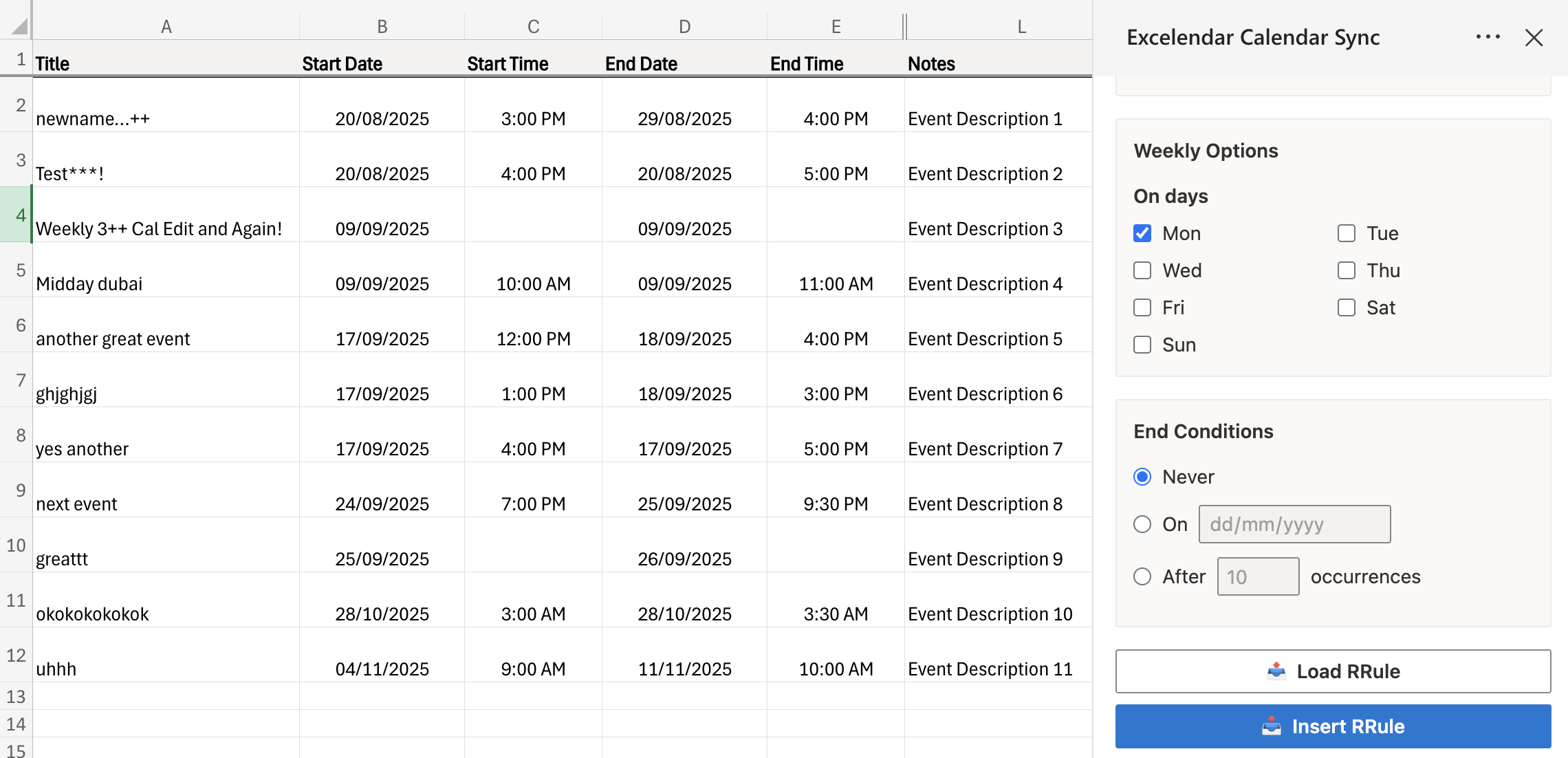
The built-in RRule Editor is very useful for this purpose, which eliminates the need to manually specify RRule values. To use the RRule Editor, open the Excelendar tab in the ribbon bar and click on RRule Editor. Once opened, select an event row and specify your desired recurrence pattern. If the pattern is invalid, the editor's data validation will indicate this and the Insert button will be disabled as invalid RRules will cause export errors. Otherwise, you should be able to press Insert and enter the RRule into the recurrence cell of the selected event row.
You can also import RRule values into the RRule Editor. When a calendar is imported into a sheet, the recurrence pattern specified in Outlook is converted into RRule format. You can select the event row or any cell in the event row, and press Import RRule: this will load the RRule into the RRule Editor which will allow you to edit the recurrence pattern and insert a modified RRule if so desired.
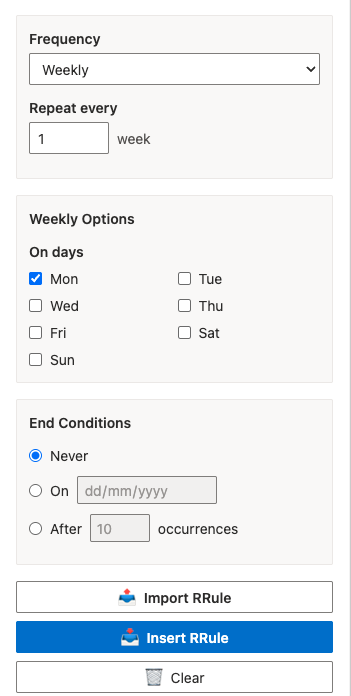
The RRule Editor provides an intuitive interface for configuring recurrence patterns. For example, you can set up weekly recurrences by selecting specific days of the week and defining end conditions.